The Capture Loop: Phone to Knowledge Base in 60 Seconds
Building a mobile-first PWA that captures photos, links, and text on the go, then uses AI to enrich and route them into The Hub knowledge base.

Part 2 of the series: Building The Hub
The biggest problem with personal knowledge management isn’t organization — it’s capture. You see something interesting on your phone, think “I should save this,” and then either forget or dump it into a notes app where it dies a quiet death. The gap between seeing something and having it in your system is where most knowledge gets lost.
Hub Capture exists to close that gap.
The philosophy
Capture should be frictionless. If it takes more than three taps, you won’t do it consistently. And if you don’t do it consistently, the system is worthless — a perfectly organized knowledge base with nothing in it.
The key insight is separating capture from processing. When you’re on the train and spot something worth saving, you don’t want to categorize it, tag it, write notes about it. You want to grab it and move on. The enrichment, categorization, and routing can happen later — asynchronously, by an AI that has all the time in the world.
What Hub Capture does
Hub Capture is a mobile-first PWA with three capture types:
Photos. Point your phone camera, tap capture, done. The photo goes to Firebase Storage with a Firestore metadata document. Useful for whiteboard diagrams, receipts, interesting posters, error messages on screens — anything visual you want to remember.
Links. Paste a URL or use the Share Target (more on that below). The link gets stored with whatever metadata we can extract.
Text. Quick notes, ideas, snippets. Sometimes you just need to write something down before it evaporates.
Each capture type feeds into the same pipeline: Firebase Storage for binary assets, Firestore for metadata and state tracking.
The UX sprint
February 17th was a major UI overhaul day. Eight PRs merged (#42 through #49), and the focus was relentlessly on reducing friction.
The biggest win was the capture flow itself. The original design had a tab bar for switching between capture types and required too many interactions. I replaced it with a floating action button (FAB) and an action sheet — tap the FAB, pick your capture type, you’re in the flow. For photo capture specifically, I cut the interaction count from seven to four. Three taps saved doesn’t sound like much, but multiply that by every capture across every day and it adds up.
This is where the monorepo decision paid off. Hub Capture lives in the same Nx workspace as Hub Chat, sharing a UI library (@hub/ui) for theme and layout components. When I found myself duplicating the same dark theme, navigation shell, and Firebase config across both apps, extracting them into a shared library was a one-command operation. That’s the whole point of building companion apps in a monorepo — the second app is dramatically cheaper than the first.
PWA Share Target
This is one of those PWA features that dramatically changes how useful the app is. When you register a Share Target in your web app manifest, your PWA appears in the system share sheet on Android. So when you’re in Chrome, Twitter, YouTube, or any other app and hit “Share,” Hub Capture shows up as an option.
Tap share, tap Hub Capture, and the link is captured with zero manual entry. The URL and title come from the sharing app automatically.
Getting the Share Target to work reliably on Android Chrome required some debugging. The service worker needs to intercept the share event correctly, and the URL parameters need to be properly declared in the manifest. But once it works, it’s genuinely transformative — capture becomes a native-feeling action from any app on your phone.
AI enrichment
Raw captures aren’t very useful on their own. A URL with no context, a photo with no description — these are just noise. The enrichment layer is what turns captures into knowledge.
Cloud Functions handle the immediate enrichment:
- Links get Open Graph metadata extraction — title, description, preview image. This happens synchronously when the capture is created, so by the time you see the capture in your list, it already has a title and description.
- Photos get categorized and OCR’d. The AI determines what kind of image it is (document, diagram, receipt, screenshot) and extracts any text content.
During the UX sprint, I added auto-generated labels as part of this enrichment step. Links get their OG title as a label. Photos get a category label plus any OCR-extracted text. This means captures are immediately searchable and scannable without any manual tagging.
Nightcrawler’s nightly digest
Here’s where the capture loop closes. Remember Nightcrawler, the agent running on its homelab container? One of its tracks — Track D, the Capture Processor — runs a nightly batch at 23:00 CET via a systemd timer.
The pipeline:
- Fetch enriched captures from Firestore (only unprocessed ones).
- Analyze each capture via the LLM — what is this about? Is it actionable? How does it relate to existing projects?
- Write a grouped digest to The Hub:
Inbox/YYYY-MM-DD-captures-digest.md. This is a markdown file with all the day’s captures, organized by theme, with the AI’s analysis and suggested actions. - Route actionable items to
Tracking/Todos.md. If a capture implies a task (“check out this library,” “follow up on this article”), it becomes a todo automatically. - Archive processed captures in Firestore so they don’t get reprocessed.
The result: I capture things throughout the day on my phone, and the next morning I have a neatly organized digest waiting in my knowledge base with relevant todos already tracked.
The full loop
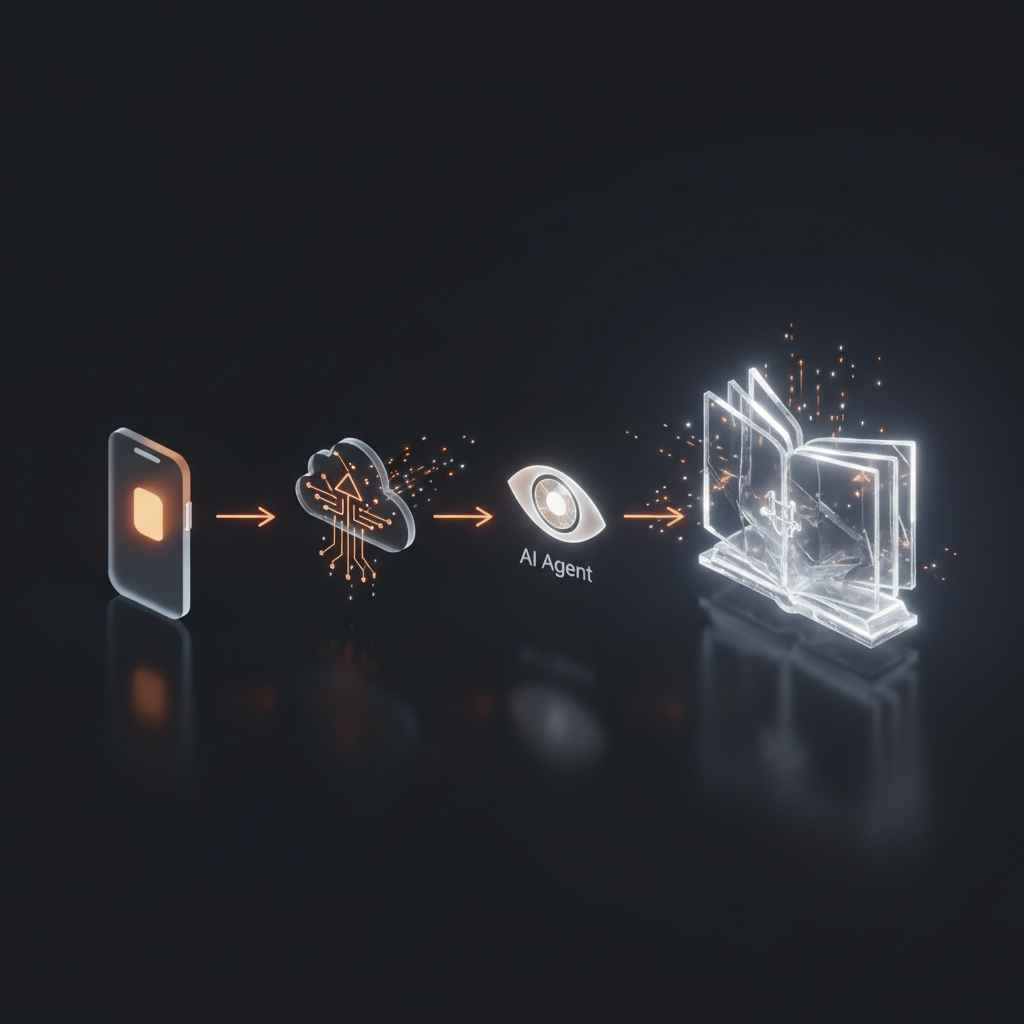
Let me trace the complete journey of a capture:
- I’m on the train, see an interesting article on Twitter.
- I hit Share, tap Hub Capture. The URL is captured instantly.
- A Cloud Function fires, extracts the OG metadata, generates a label.
- At 23:00, Nightcrawler picks it up, reads the article, analyzes its relevance to my projects.
- The digest lands in The Hub: “Article about MCP server patterns — relevant to Hub Agents architecture. Consider applying the middleware pattern to agent context building.”
- A todo appears in my tracking: “Review MCP middleware pattern for agent context pipeline.”
Phone to knowledge base. No manual categorization, no copy-pasting, no context switching to a different tool. The AI handles the cognitive overhead of processing and routing.
What I’d do differently
If I rebuilt this from scratch, I’d add batch capture — the ability to rapid-fire capture multiple items without returning to the home screen between each one. The current flow is fine for one-off captures but slightly clunky when you’re doing a research sweep and want to save ten links in a row.
I’d also move the nightly batch to something more event-driven. Waiting until 23:00 means there’s a gap between capture and processing. A Cloud Function triggered on new captures could provide near-real-time enrichment, though the trade-off is higher function invocations and cost.
But those are optimizations. The core loop — frictionless capture, async AI enrichment, automated routing — works. And it works well enough that I actually use it every day, which is the only metric that matters for a personal tool.